
Description
This lightweight plugin adds a copy button that copies the current page URL and shows a tooltip saying “Copied!”.
Features:
- Shortcode:
[copy_url_button] - Lightweight and fast
- Stylish tooltip that fades in/out
- No configuration required
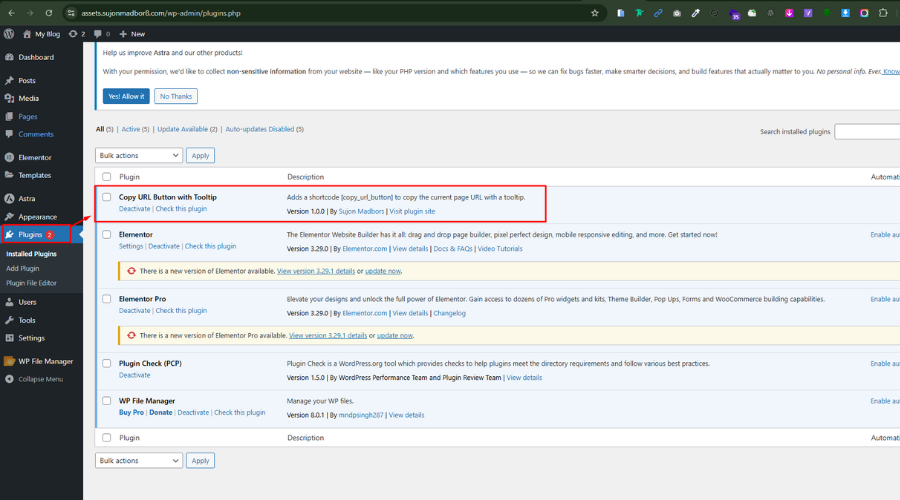
Screenshots

Installation
- Upload the plugin files to the
/wp-content/plugins/copy-url-button-with-tooltipdirectory, or install the plugin through the WordPress admin area. - Activate the plugin through the ‘Plugins’ menu in WordPress.
- Use the
[copy_url_button]shortcode anywhere on your site.
FAQ
-
Can I use it anywhere?
-
Yes, the shortcode
[copy_url_button]can be used in posts, pages, widgets, or templates usingdo_shortcode().
Reviews

May 31, 2025
Simple and effective! The “Copy URL Button with Tooltip” plugin does exactly what it promises—adds a clean copy-to-clipboard button with a helpful tooltip. Lightweight, easy to use, and perfect for quickly copying a URL and sharing.
Contributors & Developers
“Copy URL Button with Tooltip” is open source software. The following people have contributed to this plugin.
Contributors
Translate “Copy URL Button with Tooltip” into your language.
Interested in development?
Browse the code, check out the SVN repository, or subscribe to the development log by RSS.
Changelog
5.2.2
- Initial release