

Description
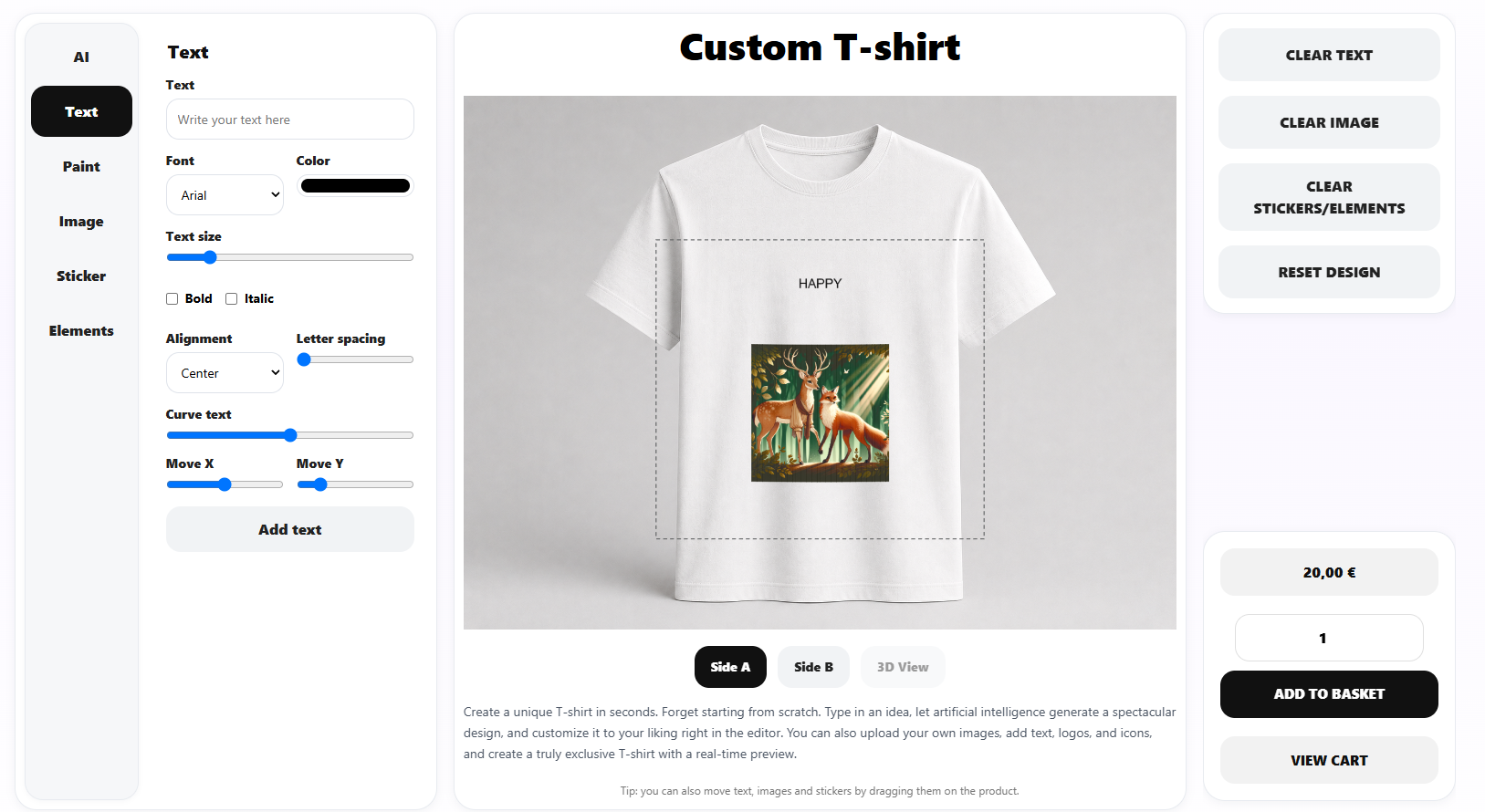
Idesoftbcn AI Product Customizer for WooCommerce adds a visual product designer to your store. Customers can customize products in real time with text, uploaded images, stickers, graphic elements, freehand paint, and multiple product views (front, back, and more).
Core features (free)
- Visual editor embedded in product pages or via shortcode
[iapc_designer] - Text, image, sticker, graphic, and paint tools
- Independent designs per product view (View 1, View 2, and up to 5 views)
- Print-ready PNG file per view, with configurable maximum size (up to 4853 px per side) and DPI (150–600)
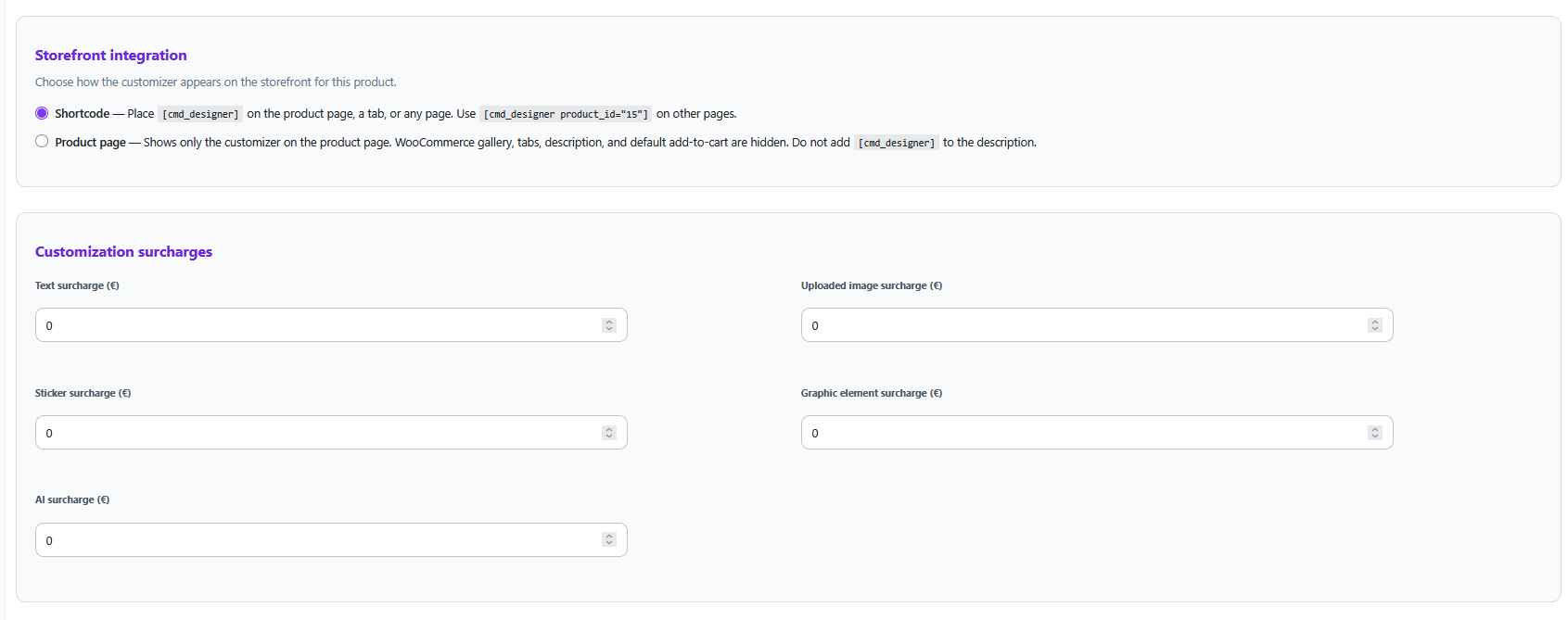
- Customization surcharges per product
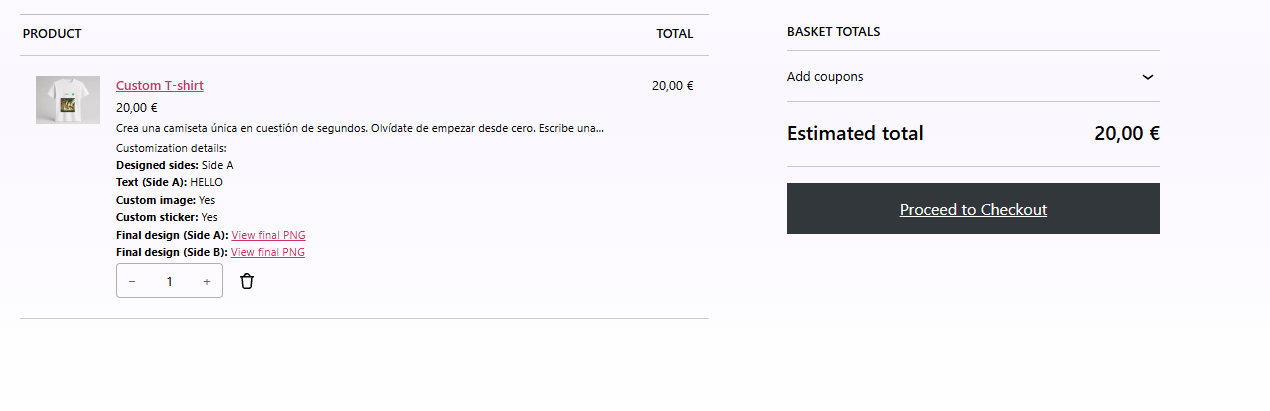
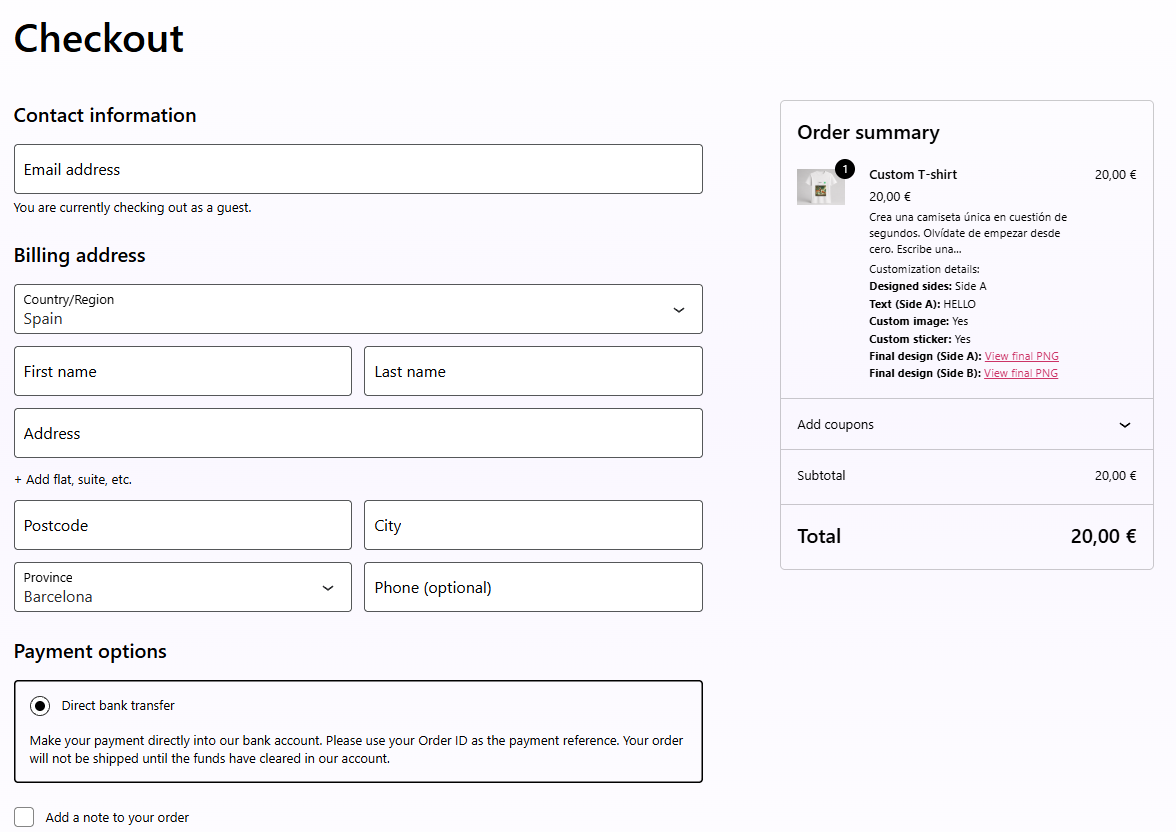
- Cart, checkout, and order integration
- Admin guide and product-level configuration
AI Premium (optional, requires license from aiproductcustomizer.com)
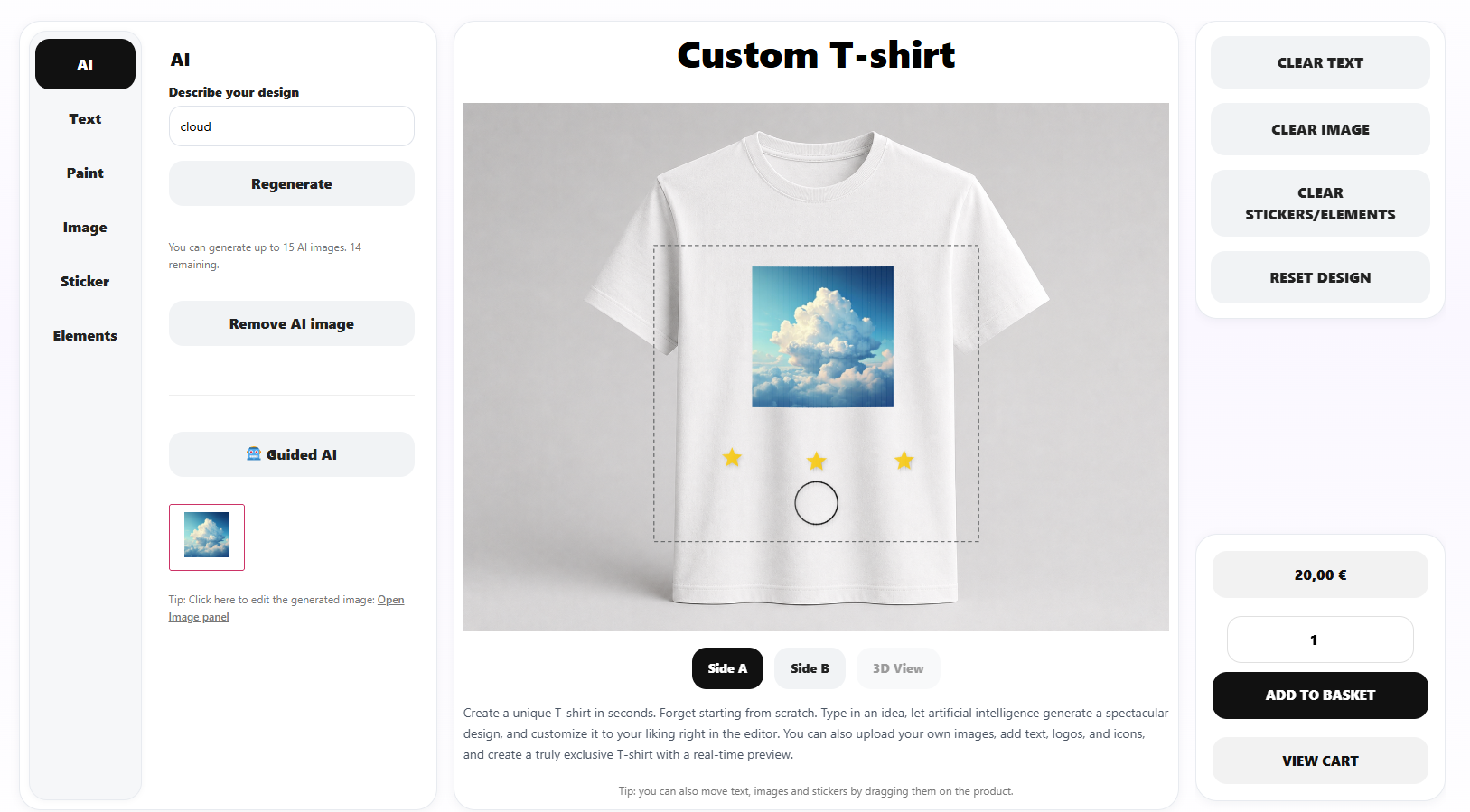
- AI image generation from customer prompts (up to 10 images per customer session)
- Optional transparent background for AI images, processed in the customer’s browser
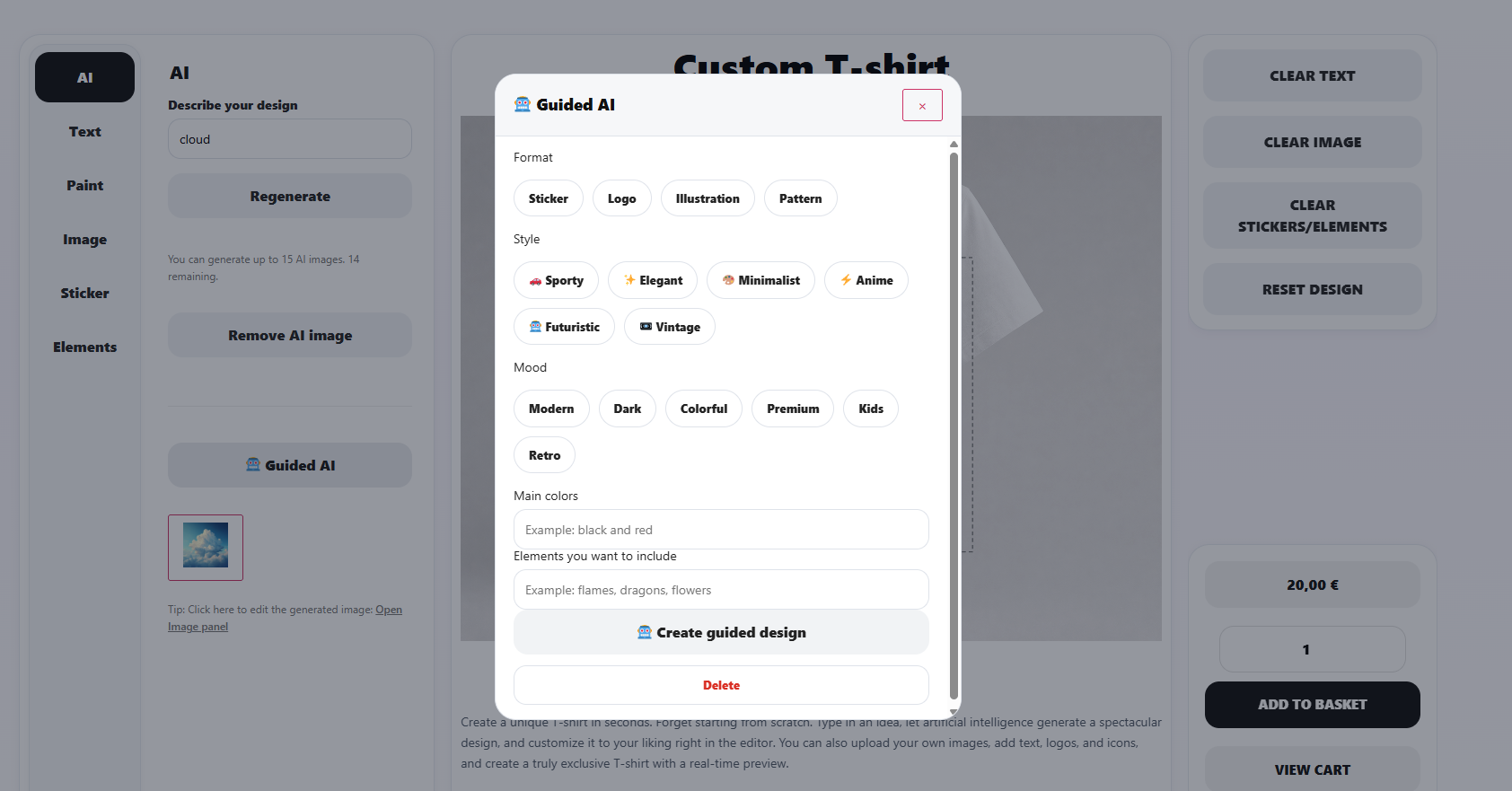
- Guided AI wizard
- Per-product AI rules and limitations (written in English for best results)
- 14-day free trial available at aiproductcustomizer.com
External services
This plugin connects to aiproductcustomizer.com when you activate an AI Premium license or when a customer generates an AI image.
License activation (POST https://aiproductcustomizer.com/api/v1/license/activate)
Data sent: license key, site domain, installation UUID, plugin version, WordPress version, PHP version, site URL, home URL, and locale.
License status check (POST https://aiproductcustomizer.com/api/v1/license/check)
Runs when an admin clicks “Refresh” on the license, and automatically on product admin screens while the license is in trial (rate-limited). Data sent: license key, site domain, installation UUID, plugin version, WordPress version, PHP version, site URL, home URL, and locale.
AI image generation (POST https://aiproductcustomizer.com/api/v1/ai/image)
Data sent: license key, site domain, installation UUID, plugin version, WordPress version, PHP version, site URL, home URL, locale, customer prompt text, whether the customer asked for a transparent background, and optional per-product AI rules configured by the store admin.
Generated images are downloaded from aiproductcustomizer.com to your uploads folder and displayed in the product designer. Prompts are processed by the Idesoftbcn AI Product Customizer service to generate images. Prompts are not used to train public AI models.
Legal documents (AI Premium)
The optional AI Premium service is governed by the legal documents published on aiproductcustomizer.com:
Additional legal pages (cookie policy, refund policy, legal notice) apply to the aiproductcustomizer.com website and billing, not to the free plugin code running on your store.
Bundled libraries (optional, car products with 3D preview only)
When a product uses a 3D GLB preview, the plugin loads a bundled copy of Three.js r185 (MIT license) with GLTFLoader from public/js/vendor/three/three.bundle.min.js. No external CDN requests are made for the 3D viewer.
Privacy
- Customer-uploaded images and generated designs are stored in your WordPress uploads directory (
wp-content/uploads/iapc-designs/). - AI prompts are sent to aiproductcustomizer.com only when AI Premium is active and a customer or admin triggers image generation.
- The plugin stores a unique installation UUID in your database to validate licenses.
- No automatic telemetry or analytics are collected.
- See the plugin admin guide (WooCommerce Idesoftbcn AI Product Customizer) for full details.
Plugin structure
For developers and contributors, the plugin is organized as follows:
includes/— bootstrap, hooks, core logic, and template loaderadmin/— WordPress admin assets (css/,js/,views/)public/— storefront assets (css/,js/,templates/)assets/— shared images, stickers, and graphics
Screenshots
Installation
- Upload the plugin folder to
/wp-content/plugins/idesoftbcn-ai-product-customizer/or install via the WordPress Plugins screen. - Activate the plugin through the Plugins menu.
- Ensure WooCommerce is installed and active.
- Open a WooCommerce product, enable Customizer, configure images and print areas.
- Display the designer using Product page integration or the
[iapc_designer]shortcode. - (Optional) Activate AI Premium with a license key from aiproductcustomizer.com.
FAQ
-
Does this plugin work without WooCommerce?
-
No. WooCommerce is required. If WooCommerce is missing, the plugin shows an admin notice and does not load storefront features.
-
How do I show the customizer on a page?
-
Use the shortcode
[iapc_designer]on a product page, or[iapc_designer product_id="123"]on any page. -
Where are customer designs stored?
-
Final PNG previews and uploads are stored in
wp-content/uploads/iapc-designs/. Order data is saved with WooCommerce orders. -
What happens when I uninstall the plugin?
-
Plugin options and product customizer settings (
_iapc_*post meta) are removed. WooCommerce order history is preserved. Uploaded design files iniapc-designs/are kept unless you delete them manually. -
What print file does the plugin generate?
-
For each designed view, a transparent PNG with only the customer’s artwork. Its longest side is scaled up to the maximum size set in the product (Print area size) and the other side stays proportional, so the design is never cropped or distorted. DPI is stored with the order to calculate the physical size.
-
Is AI image generation included for free?
-
The designer works without AI. AI image generation requires an active AI Premium license from aiproductcustomizer.com.
-
Is the plugin translated?
-
The WordPress.org plugin page (
readme.txt) is in English, as required by the plugin directory.The plugin interface is translation-ready (i18n) with text domain
idesoftbcn-ai-product-customizer. Locale files are not bundled in the plugin ZIP; after publication, community translations are managed and delivered via translate.wordpress.org.
Reviews

Contributors & Developers
“Idesoftbcn AI Product Customizer for WooCommerce” is open source software. The following people have contributed to this plugin.
Contributors
Translate “Idesoftbcn AI Product Customizer for WooCommerce” into your language.
Interested in development?
Browse the code, check out the SVN repository, or subscribe to the development log by RSS.
Changelog
1.0.1
- Added: “Transparent background” option for AI images. The white background is removed and empty margins are trimmed in the browser.
- Added: Print area size settings per product: maximum width/height up to 4853 px and DPI select (150–600).
- Added: Declared compatibility with WooCommerce HPOS (High-Performance Order Storage) and the block cart/checkout.
- Added: Character limits for AI rules (200) and customer prompts (300), with a live counter in the admin.
- Improved: The print file follows the real artwork. The longest side is scaled to the configured maximum, proportionally, never cropped or distorted.
- Improved: New AI images are placed at 90% of the print area.
- Improved: Product views are named “View 1, View 2…” across the admin, designer, cart, and orders.
- Improved: AI thumbnails use the plugin colors instead of the theme’s.
- Changed: AI image limit per customer session reduced from 15 to 10.
- Security: Per-product AI rules are read on the server and can no longer be changed from the browser.
- Fixed: Design files are moved to the order folder when the order is placed.
- Docs: readme and admin guide updated (external services, print file, AI rules in English).
1.0.0
- Initial release